> ## Documentation Index
> Fetch the complete documentation index at: https://langchain-tutorial.mintlify.site/llms.txt
> Use this file to discover all available pages before exploring further.
# OpenAI API密钥生成与测试指南
> OpenAI API密钥生成与测试指南。
* 翻译:[xiaoshun007](https://github.com/xiaoshun007)
* 作者: [Minji](https://github.com/r14minji)
* 评审: [Chang-Jun Lee](https://powersolution.notion.site/), [Wooseok Jeong](https://github.com/jeong-wooseok)
* 校对 : [Q0211](https://github.com/Q0211)
* 本内容是 [LangChain Open Tutorial](https://github.com/LangChain-OpenTutorial/LangChain-OpenTutorial) 的一部分
## 概述
本指南详细说明OpenAI API密钥的获取方式、使用规范及相关成本限制。
首先需要在OpenAI平台创建API密钥,并完成开发环境配置。
完成设置后,请对API密钥进行测试,以确保其能在应用程序中正常运行。
### 目录
* [概述](#概述)
* [OpenAI API支付与使用限额设置](#openai-api支付与使用限额设置)
* [OpenAI API密钥生成指南](#openai-api密钥生成指南)
* [环境配置](#环境配置)
***
## OpenAI API支付与使用限额设置
访问 OpenAI API 网站
* 访问: [https://platform.openai.com/docs/overview](https://platform.openai.com/docs/overview)
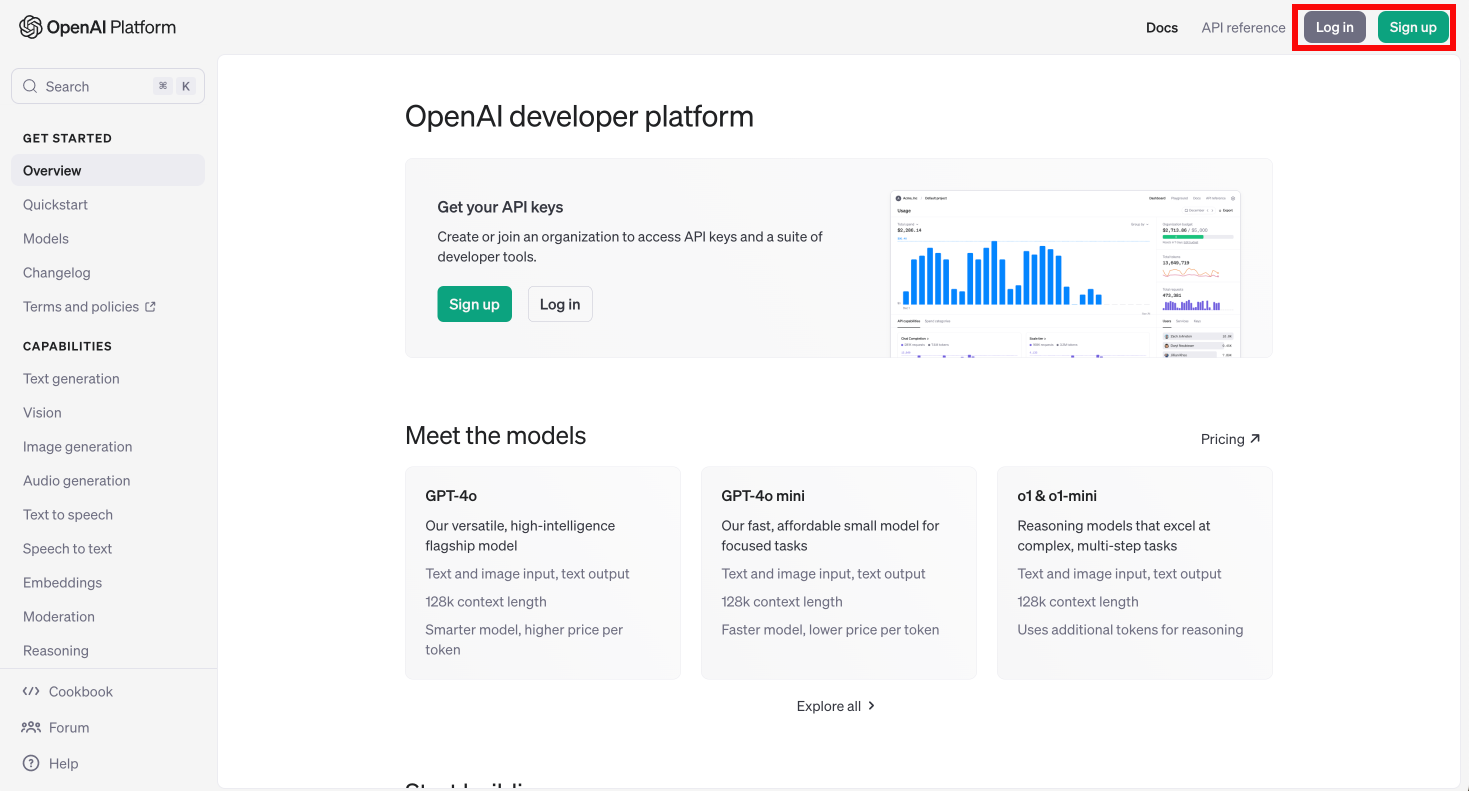
点击右上角的 **"注册"** 创建账户(若已有账户,请点击 **"登录"**)。
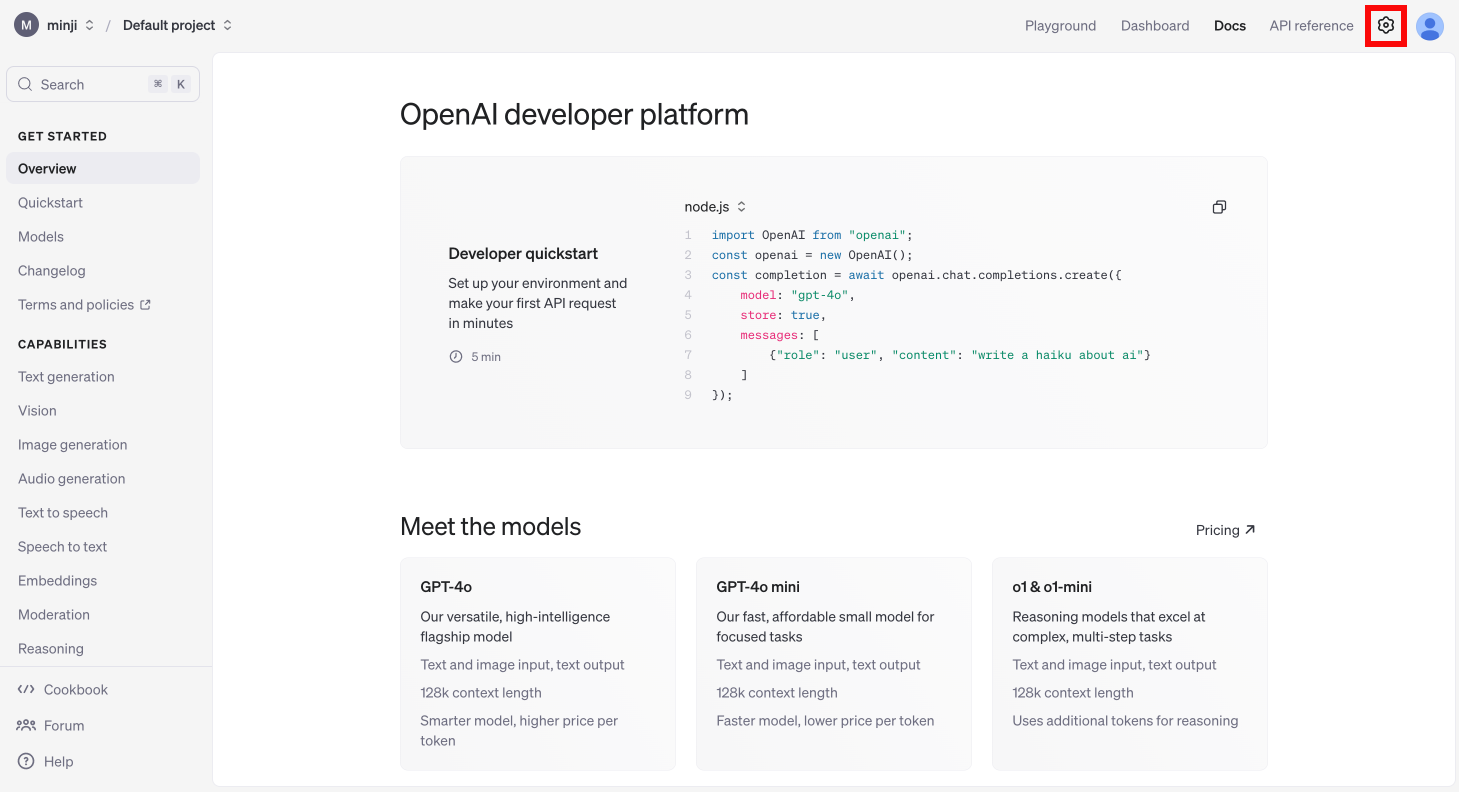
 登录后,请点击右上角 **设置** 菜单并选择\*\*"Billing"\*\*选项
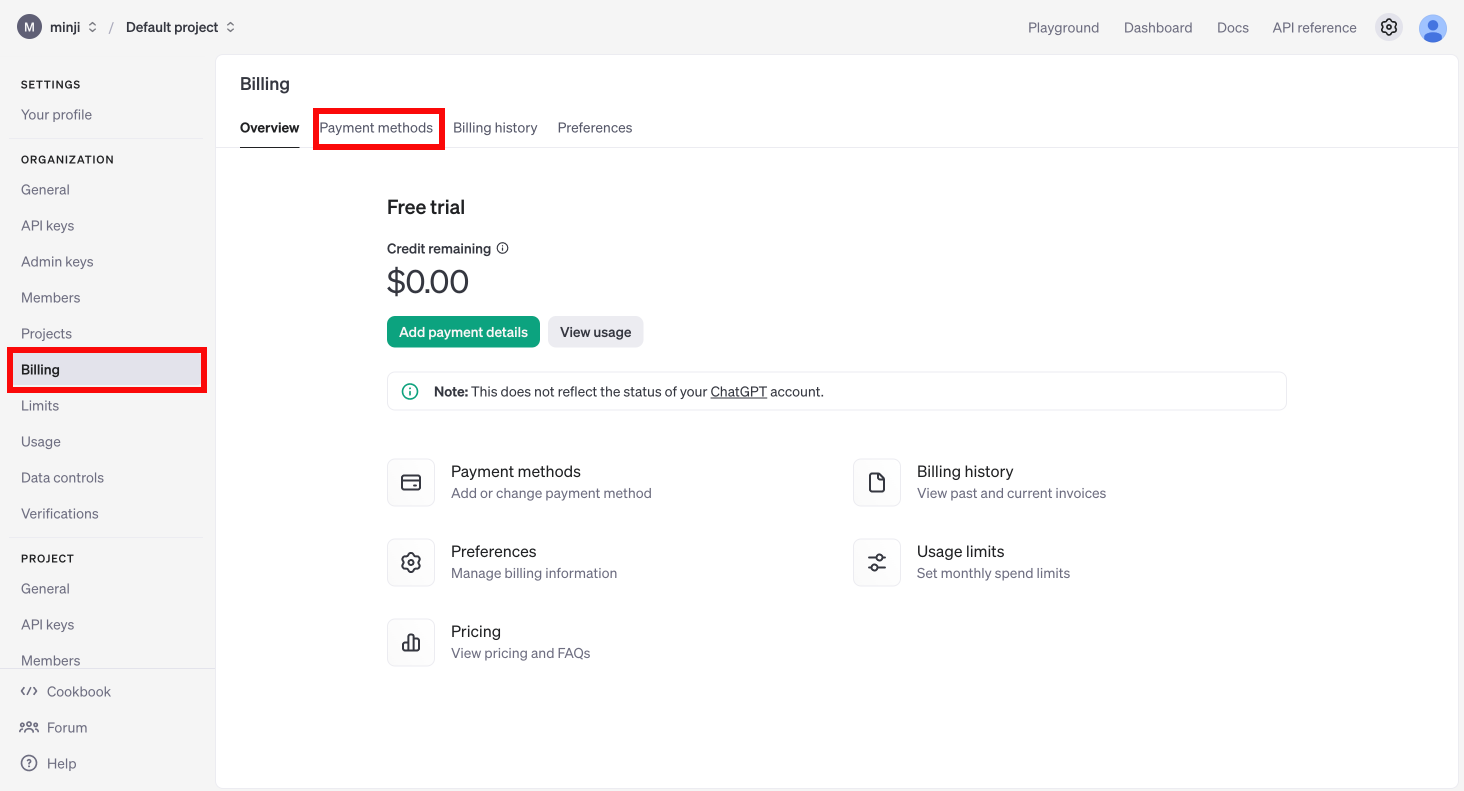
 在左侧 **计费** 菜单中,点击 **付款方式** 完成信用卡绑定
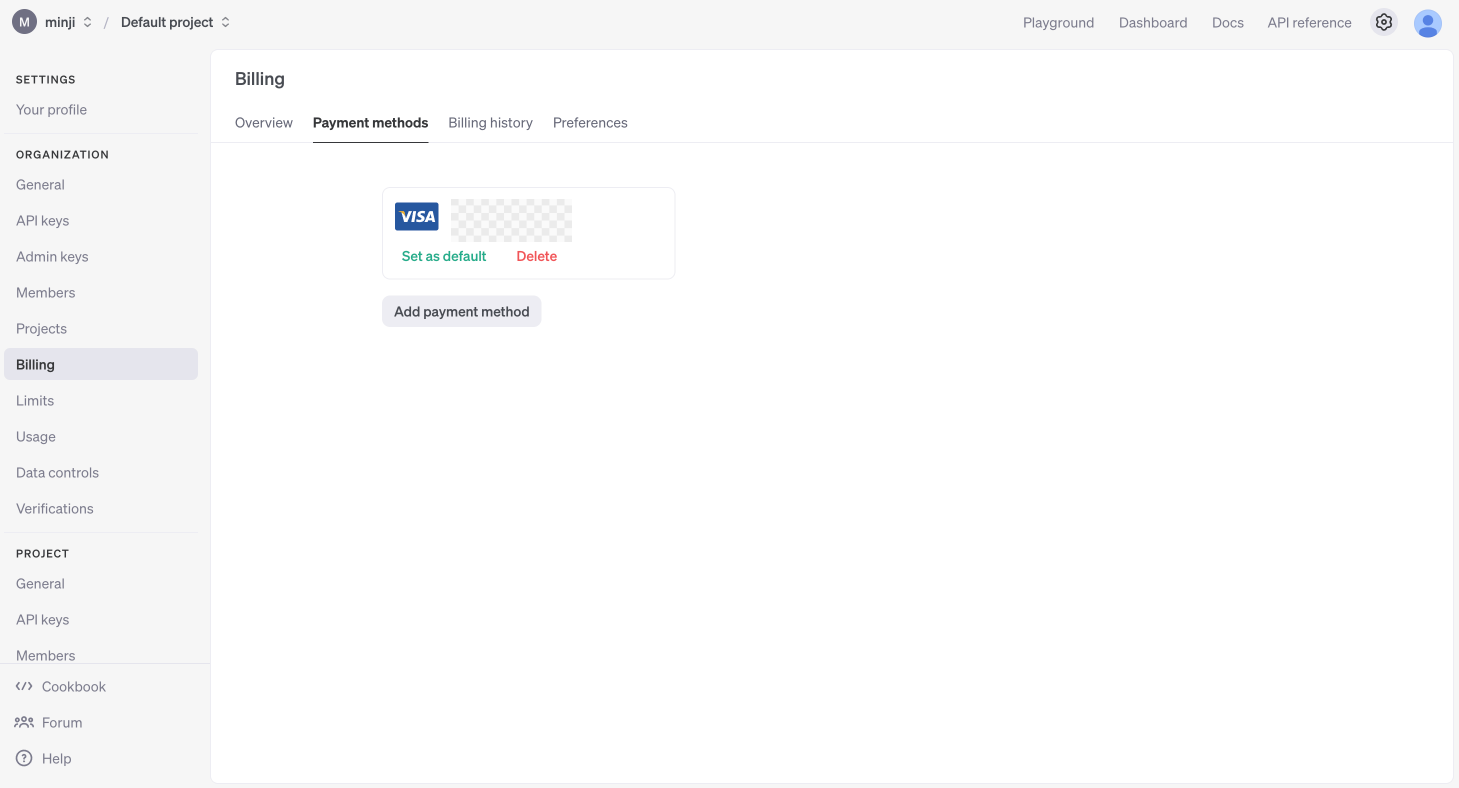
 信用卡成功绑定后,将如下方图示显示在付款方式列表中。
 点击 **"充值余额"** 按钮,输入您要充值的美元金额。
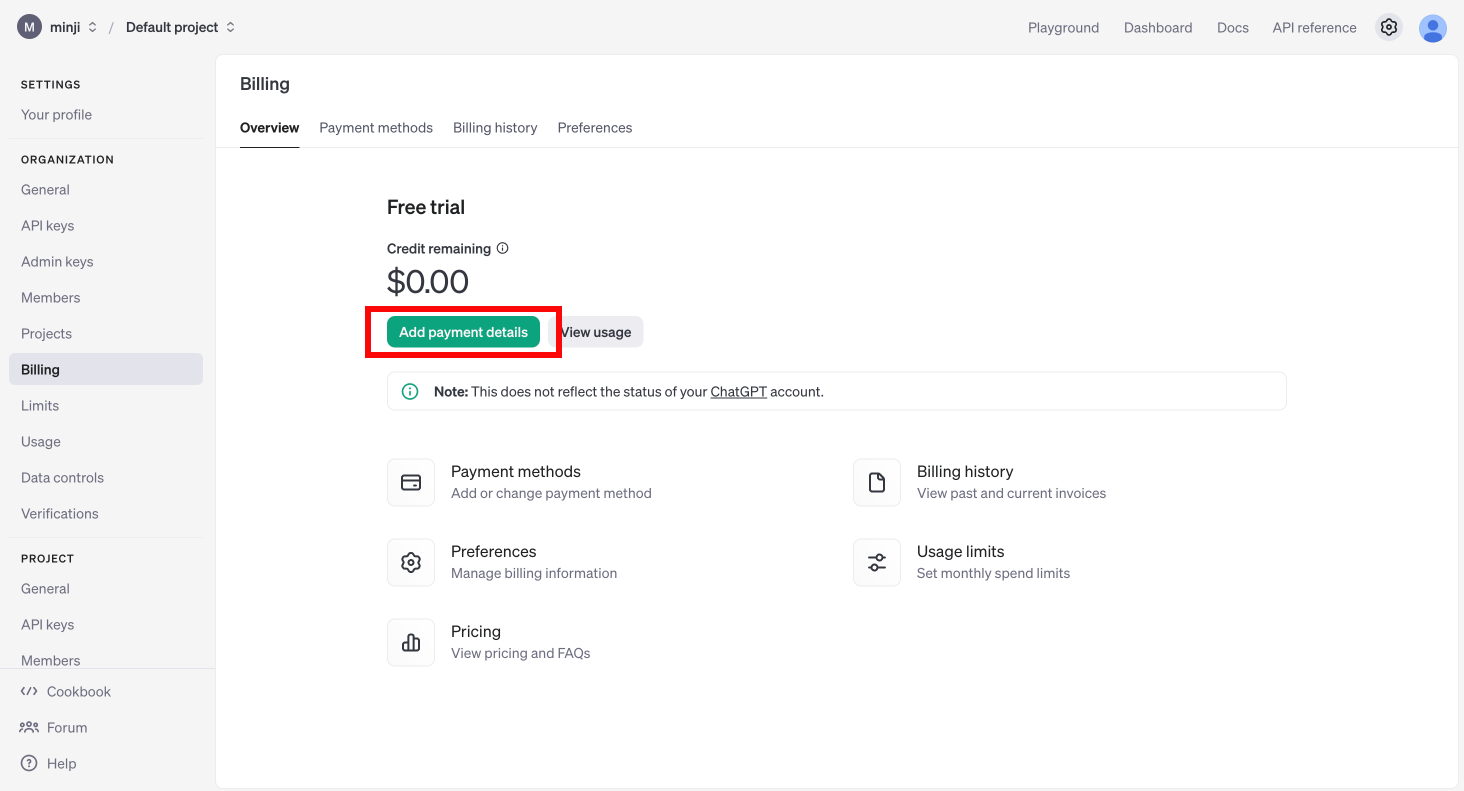 最低充值金额为 `5美元`(即单次充值不得低于此金额)。
输入金额后,点击 **"继续"** 完成支付流程。
最低充值金额为 `5美元`(即单次充值不得低于此金额)。
输入金额后,点击 **"继续"** 完成支付流程。
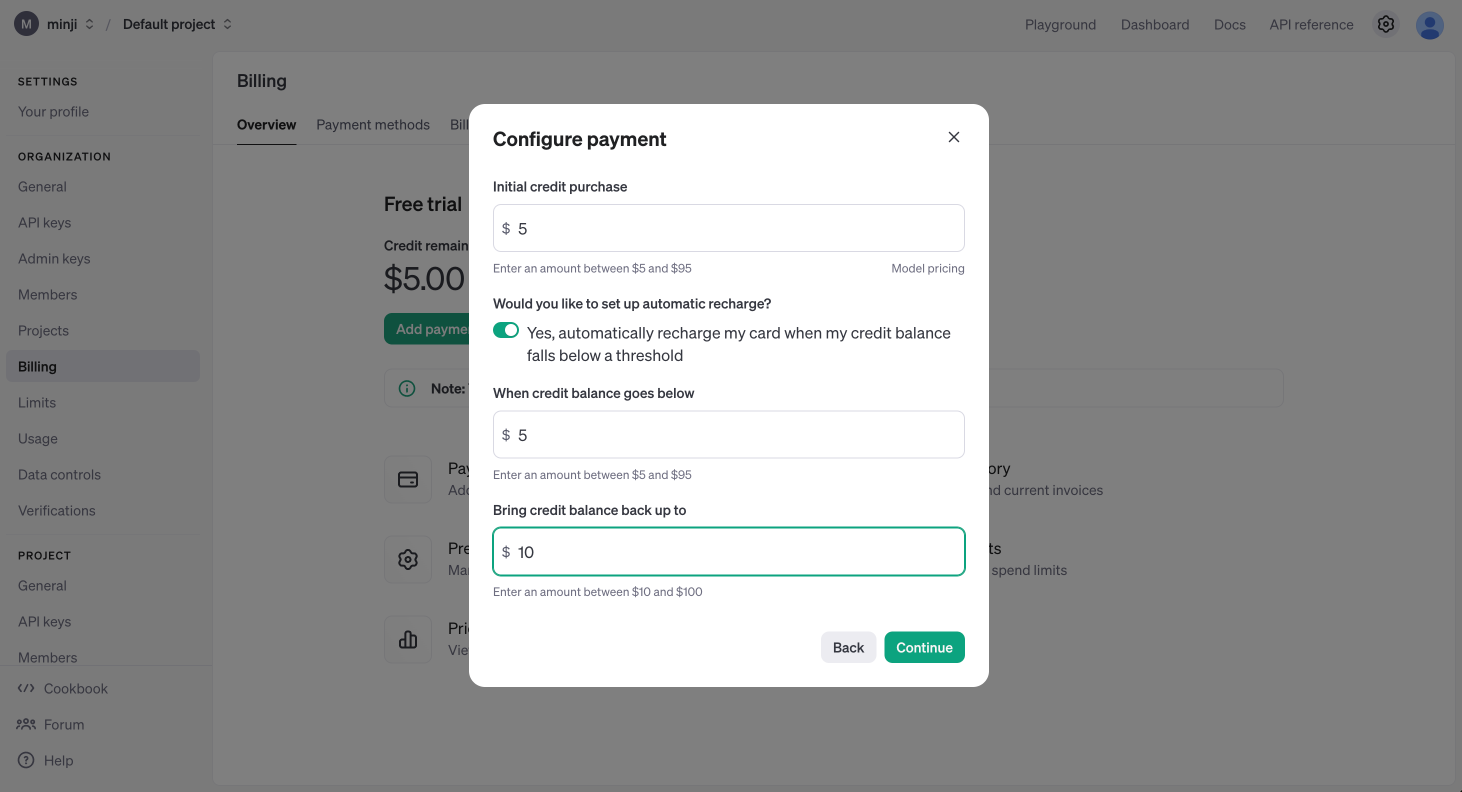 在左侧 **限额** 标签页中,您可以设置月度使用限制:
* **"设置月度预算"**:用于设定月度支出上限。达到该金额后系统将停止计费并中止API服务。
* **"设置邮件通知阈值"**:可指定触发邮件提醒的金额。当用量达到该阈值时,您将收到邮件通知。
在左侧 **限额** 标签页中,您可以设置月度使用限制:
* **"设置月度预算"**:用于设定月度支出上限。达到该金额后系统将停止计费并中止API服务。
* **"设置邮件通知阈值"**:可指定触发邮件提醒的金额。当用量达到该阈值时,您将收到邮件通知。
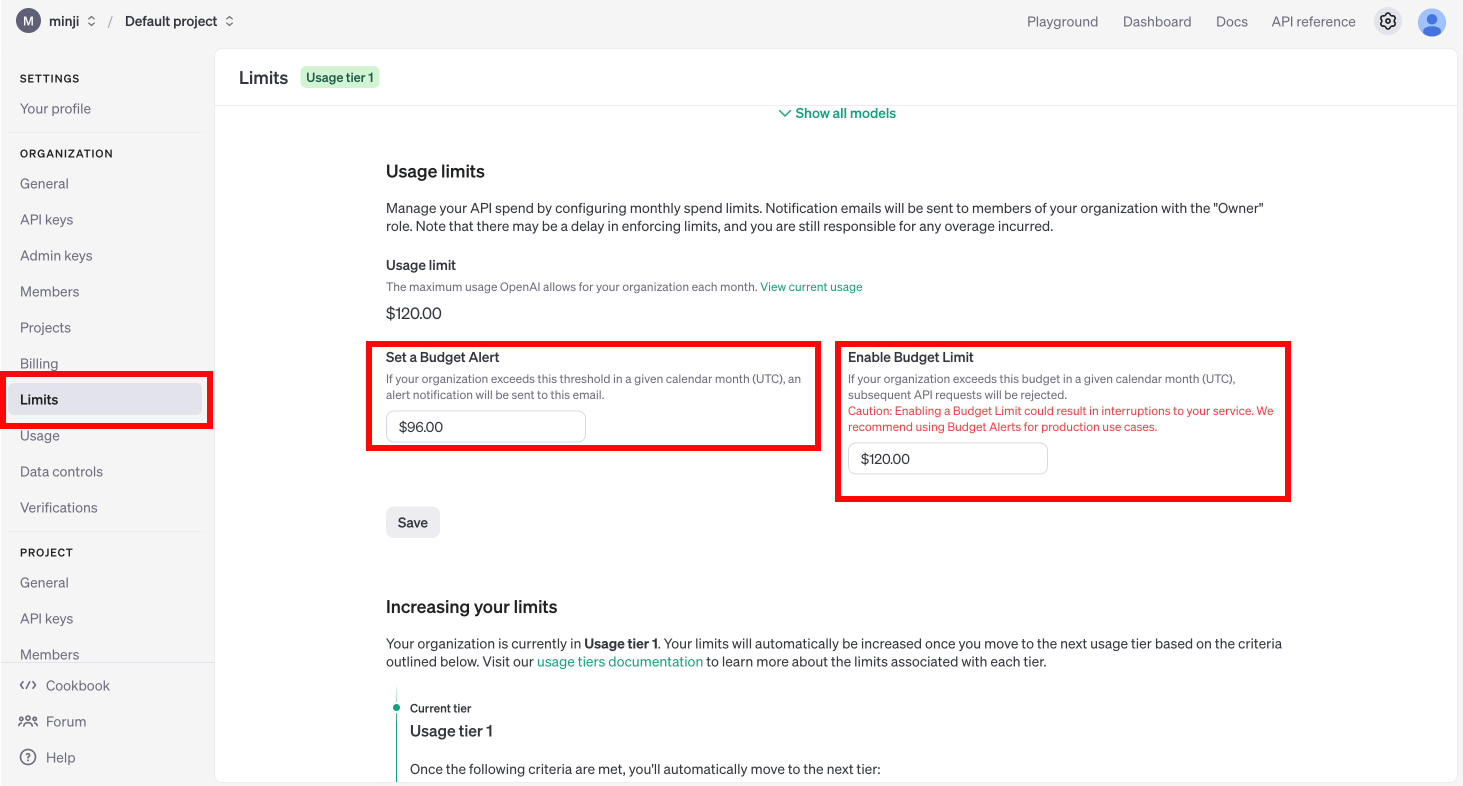 ## OpenAI API密钥生成指南
点击右上角个人头像,然后选择 **"个人信息"**。
## OpenAI API密钥生成指南
点击右上角个人头像,然后选择 **"个人信息"**。
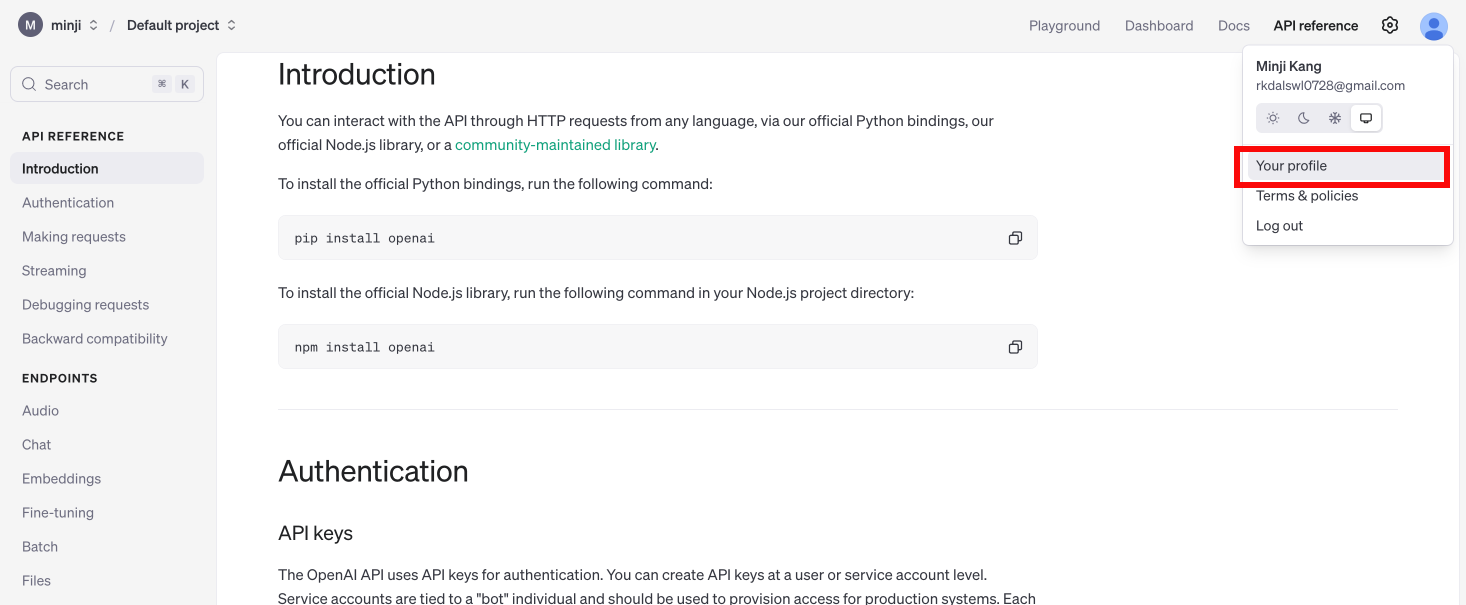 进入API密钥管理菜单
* 访问: [https://platform.openai.com/api-keys](https://platform.openai.com/api-keys)
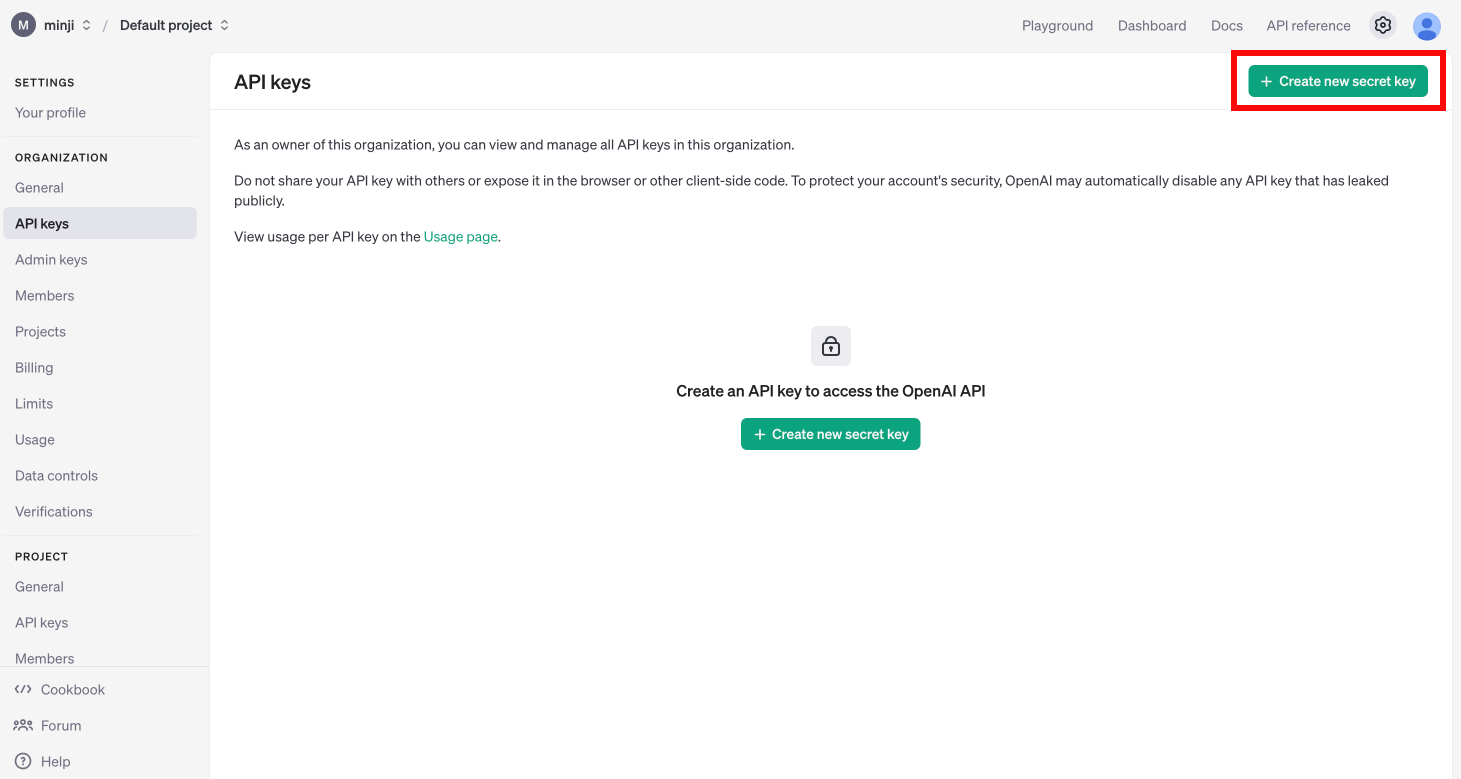
点击 **"创建新的密钥"**
进入API密钥管理菜单
* 访问: [https://platform.openai.com/api-keys](https://platform.openai.com/api-keys)
点击 **"创建新的密钥"**
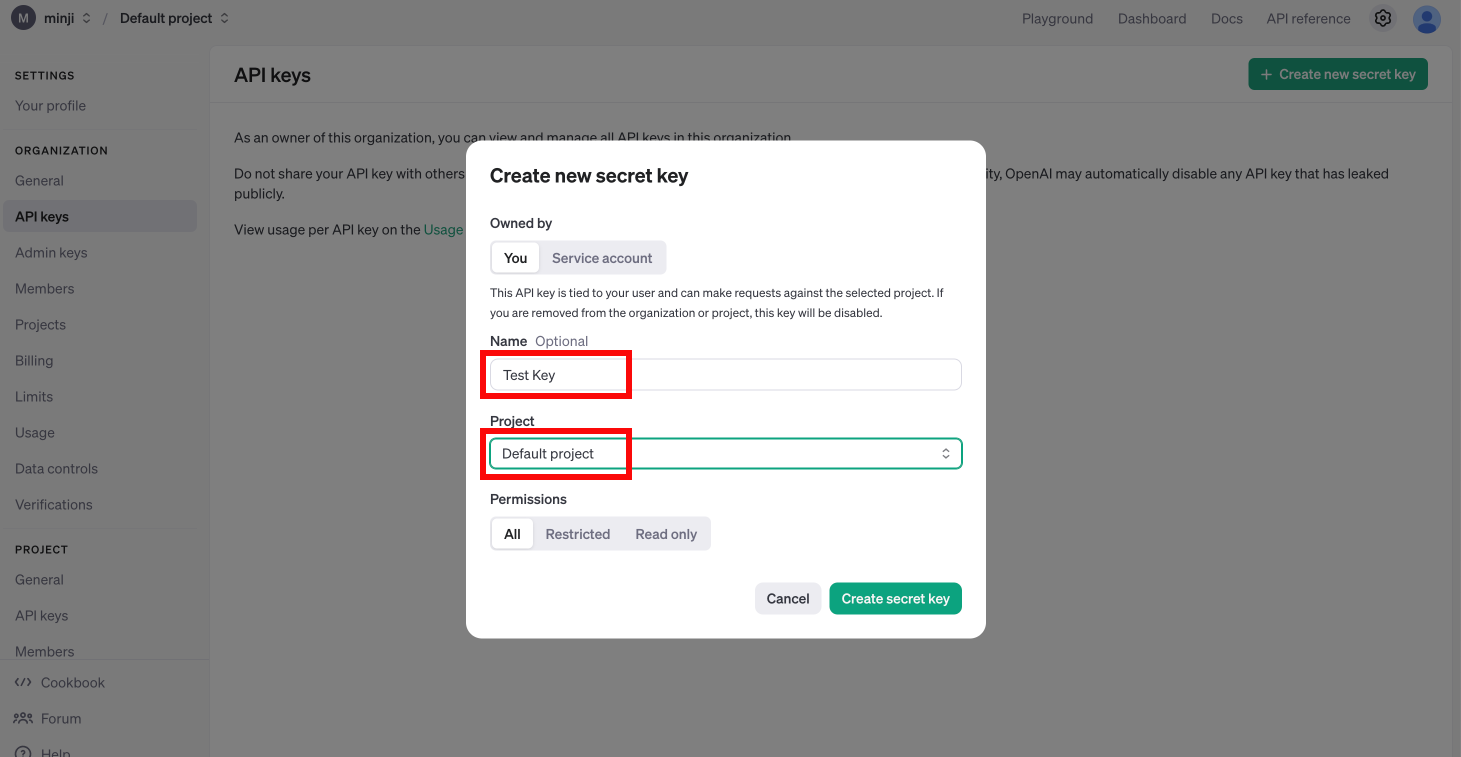
 输入密钥名称并选择项目(若未创建过项目,请选择默认项目)
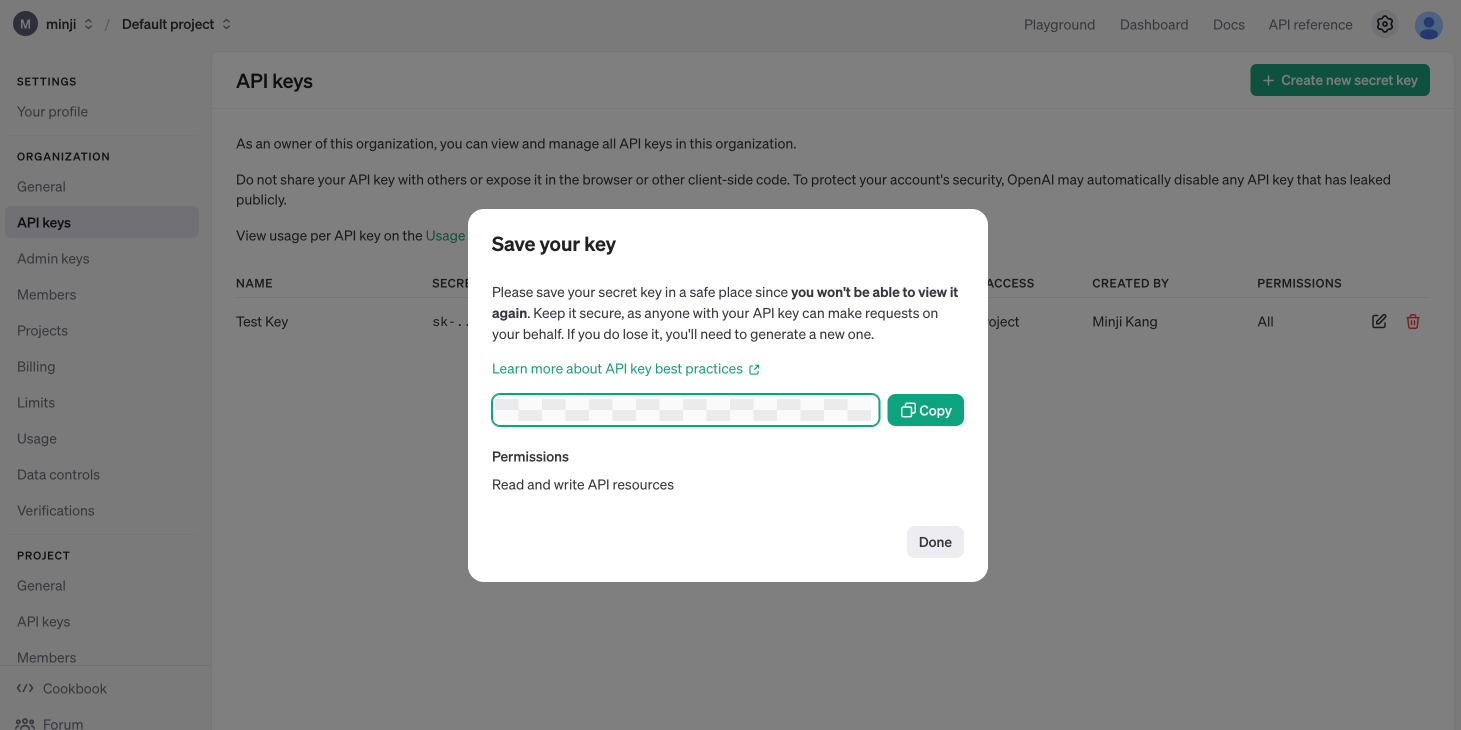
 点击右侧 **"复制"** 按钮保存密钥。
**重要警告!!!**
若密钥泄露,他人可使用您的API密钥调用GPT服务,产生的费用将计入 **您的账户**。
**请勿与他人共享密钥,务必将其保存在安全位置!**(请将其视为密码妥善保管)
点击右侧 **"复制"** 按钮保存密钥。
**重要警告!!!**
若密钥泄露,他人可使用您的API密钥调用GPT服务,产生的费用将计入 **您的账户**。
**请勿与他人共享密钥,务必将其保存在安全位置!**(请将其视为密码妥善保管)
 ## 环境配置
配置 .env 文件
1. 在项目根目录下创建 `.env` 文件
2. 在文件中输入 `OPENAI_API_KEY=复制的密钥`,按 Ctrl + S(Mac 用户使用 Command + S)保存并关闭文件
## 环境配置
配置 .env 文件
1. 在项目根目录下创建 `.env` 文件
2. 在文件中输入 `OPENAI_API_KEY=复制的密钥`,按 Ctrl + S(Mac 用户使用 Command + S)保存并关闭文件
 配置.gitignore文件
1. 在项目根目录创建 `.gitignore` 文件
2. 在文件中添加 `.env` 以避免该文件被Git追踪
配置.gitignore文件
1. 在项目根目录创建 `.gitignore` 文件
2. 在文件中添加 `.env` 以避免该文件被Git追踪
 ```python theme={null}
# 更新 LangChain
!pip install langchain-opentutorial
```
```python theme={null}
# Configuration file to manage API KEY as environment variable
# Install: pip install python-dotenv
from dotenv import load_dotenv
# Load API KEY information
load_dotenv()
```
```python theme={null}
True
```
现在来验证API密钥是否配置正确:
```python theme={null}
import os
print(f"[API KEY]\n{os.environ['OPENAI_API_KEY']}")
```
```python theme={null}
# 更新 LangChain
!pip install langchain-opentutorial
```
```python theme={null}
# Configuration file to manage API KEY as environment variable
# Install: pip install python-dotenv
from dotenv import load_dotenv
# Load API KEY information
load_dotenv()
```
```python theme={null}
True
```
现在来验证API密钥是否配置正确:
```python theme={null}
import os
print(f"[API KEY]\n{os.environ['OPENAI_API_KEY']}")
```